

The best AI tools for Chiefs of Staff
Which AI tools a Chief of Staff needs, when to buy an AI chief of staff app or build one, and how to get it approved. Only 12.5% of operators connect AI.

Ask AI
 Share
AI chief of staff tools come in four kinds: assistants such as Claude and ChatGPT, meeting notetakers, apps sold as an "AI chief of staff" that manage inbox, calendar and follow-ups, and automation and agents. Most Chiefs of Staff need one approved assistant and one notetaker first. Buy or build anything else only for a job you can name.
- In the Chief of Staff Network's Chief of AI Report (early 2025), 34% of companies named ChatGPT as their AI tool of choice. Companies with 5,000+ employees were more likely to use AI built into existing software: Microsoft Copilot 33%, Gemini 17%.
- Only 12.5% of the 1,200+ senior leaders in our AI Readiness Diagnostic connect AI to their other tools. Most stop at chat and basic transcription.
- Security, compliance and ethics made up about 41% of the barriers to AI adoption in our Chief of AI Report, ahead of adoption and change management at about 38%.
- An "AI chief of staff" app can run parts of an inbox and calendar. Aligning a leadership team still takes a person, so hire a Chief of Staff when that's the problem.
- AI has made building a tool almost free. Getting people to use it, keeping it running and securing it still cost what they always did.
Search for AI chief of staff tools and you'll find a dozen lists, most written by companies that put their own product at number one. None asks the questions a Chief of Staff has to answer before buying anything: will IT approve it, will anyone use it, and what happens to the transcript of the leadership meeting it just recorded?
I won't rank products, because the category changes every quarter and the right pick depends on what your company has approved. In our Chief of AI Report, one in three companies had already picked ChatGPT, so for most Chiefs of Staff the first question is how to get more from what the company already pays for. If you're starting from zero, our beginner's guide to Claude for Chiefs of Staff sets one up, though you can pick any tool your company allows.
Which AI tools does a Chief of Staff actually need?
Start with two: one general assistant your company has approved, and one meeting notetaker. Add a knowledge tool, automation or an agent only when you can name the recurring job it takes over and the hour it gives back.
Our guide to AI and the Chief of Staff sorts tools into three layers: an assistant, a productivity layer and an integration layer. This table maps them to jobs, with the categories our AI Readiness Diagnostic respondents named.
A Chief of Staff's AI tools, by job
| Job | Tool category | Examples our members name | Start when | Main risk |
|---|---|---|---|---|
| Draft, analyze, prepare | General assistant | Claude, ChatGPT | Day one, on an approved plan | Company data on a personal account |
| Capture meetings | Notetaker | Built into Zoom, Teams or Meet; Granola, Otter, Fireflies | Once recording rules exist | Transcripts of sensitive meetings |
| Find what the company knows | Knowledge and docs AI | Notion AI, search inside your workspace | When you search more than you write | Answers from stale documents |
| Run routine jobs on a schedule | Automation | Zapier, Make, n8n, scheduled tasks in your assistant | When a job repeats weekly and has a fixed format | Silent failures nobody notices |
| Act across systems | Agents and "AI chief of staff" apps | Agents built in your assistant; inbox and calendar apps | After the above run cleanly for a month | Actions taken in your name |
Most people stop at the first two rows. In our AI Readiness Diagnostic, 86% of the 1,200+ senior leaders surveyed use AI daily, but only 12.5% connect it to other tools, and most notetaker users hadn't moved past basic transcription. The jump from the second row to the fourth is where most of the time comes back, because a job that runs itself every week saves more than a faster draft.
Most companies have already chosen the assistant for you. When we asked companies in early 2025, ChatGPT was the clear first pick, and the biggest companies leaned toward AI built into software they already ran.
The mix has shifted since that survey, and Claude and ChatGPT now offer much the same building blocks: projects, connectors, skills and scheduled tasks. At companies with 5,000 or more employees, security and integration decide what gets bought, so Microsoft Copilot (33%) and Gemini (17%) were more common. If your company runs on Microsoft 365 or Google Workspace, its built-in assistant may be the only one you're allowed to use with company data, and the habits in our guides work there too.
One assistant, used well
I'd resist the urge to trial everything. Every new tool costs an approval, a login, a place your data now lives and a habit you have to build. One approved assistant with a project per principal, a few saved prompts from our prompt library and a calendar connection will do more for you than five tools you open once a week.
[SCOTT: the one AI tool you'd keep if you could keep only one, and why]
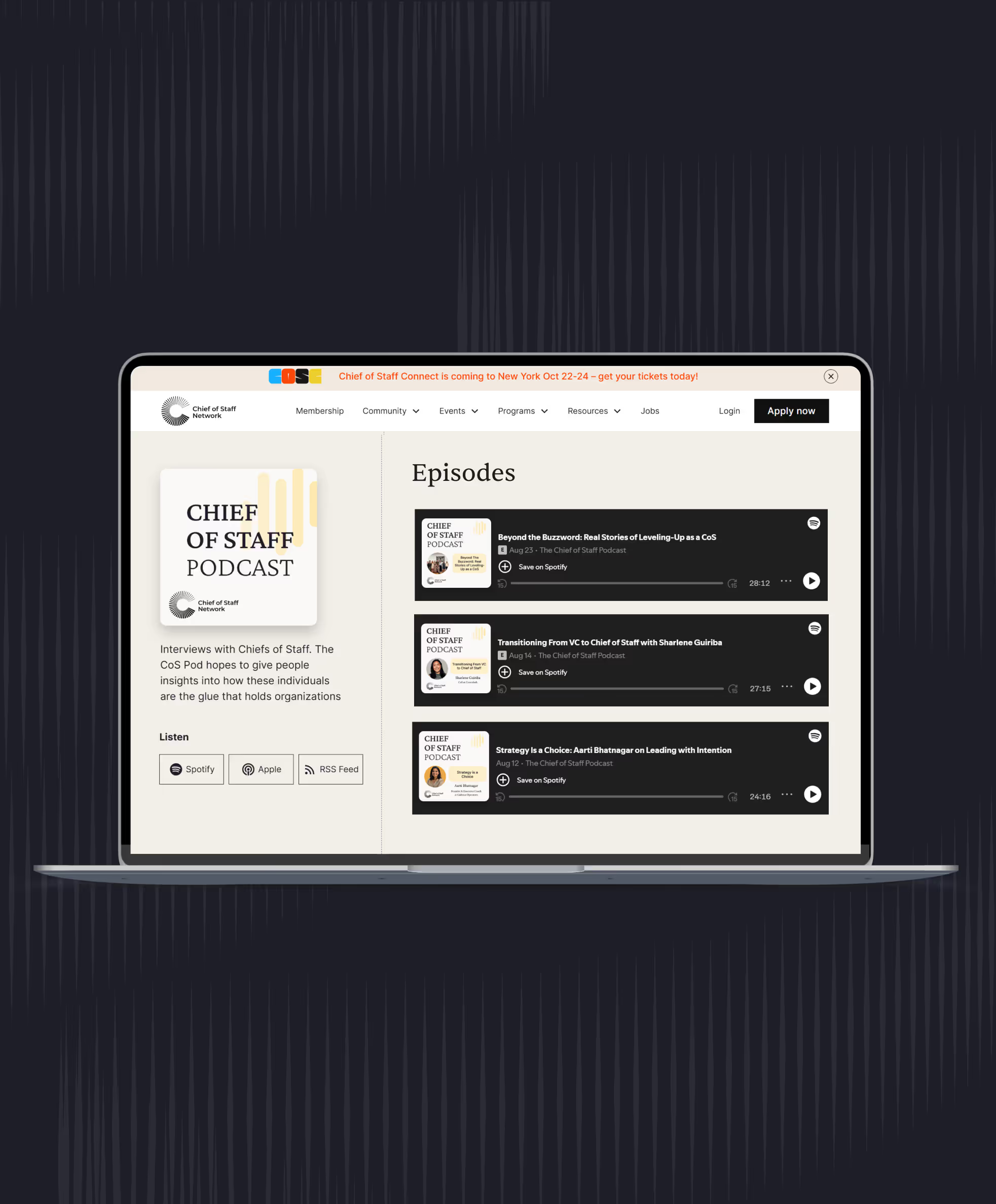
You'll miss some good products for a few months. The tools converge quickly, and the one your company already pays for usually gains the feature you wanted within a quarter. Our 2024 toolbox episode is still a good list of the non-AI tools members rely on.
What is an AI chief of staff tool, and can it replace a hire?
"AI chief of staff" describes two things. It's a product category, software that reads your email and calendar, preps meetings and chases follow-ups, sold mostly to founders. And it's a setup a human Chief of Staff builds from general tools, which our setup guide walks through.
The products sit closer to an executive assistant than to a Chief of Staff. Inbox triage, scheduling, meeting briefs and reminders are the time-and-logistics half of the work in our guide to Chief of Staff vs executive assistant. They do those jobs faster than a person on the routine cases, and worse on the ones that need to know who's annoyed with whom.
What they can't do is set priorities with a leader, run a leadership meeting, tell the CEO what nobody else will, or pull five teams onto one plan. Sawyer Middeleer was the first employee and Chief of Staff at Aomni, an AI software company, and now helps operators bring AI into their companies. He argues in his episode on why AI can't be a chief of staff that the human Chief of Staff is often the best person to decide which work AI should take, because they see the whole process end to end.
If you're a founder deciding between an app and a hire
"Should I hire, or adopt more AI tools?" is one of the questions that brings founders to our site. The answer depends on the problem.
- If your problem is volume (too many emails, meetings that need prep, follow-ups that slip), an AI assistant plus a good executive assistant will get you most of the way. An app sold as an AI chief of staff can be part of that.
- If your problem is alignment (leaders pulling in different directions, decisions that don't stick, a strategy nobody can repeat back), you need a person with authority and context, and our guide to hiring a Chief of Staff shows how to scope that role.
The two problems feel the same from the founder's chair: a full inbox and a calendar with no gaps. Volume is fifty messages that each need a quick, routine answer. Alignment is five messages from leaders asking you to settle the same disagreement in different words, and a weekly meeting that ends without a decision.
So run a cheap test. Give an approved assistant or an app your calendar and inbox for a month, and list what still lands on you. If it's scheduling, chasing and prep, the tool is working; if it's disputes between leaders, decisions you keep remaking and projects that belong to nobody, no software will clear it.
My read is that under about 50 people the problem is usually volume. Once a leadership team of five or six runs functions that depend on each other, alignment problems arrive whether or not the inbox is under control. The risk of buying the app at that stage is delay: it makes the calendar feel managed for a quarter while the decisions keep slipping.
How do you choose an AI notetaker for leadership meetings?
Choose the notetaker your company approves, and write the rules before you switch it on: which meetings are never recorded, who can read transcripts and how long they're kept. Then compare tools on where transcripts go, whether people in the meeting are told, and how well they handle names and numbers.
A notetaker is usually the second AI tool a Chief of Staff adds, and the riskiest. A leadership meeting transcript holds hiring plans, performance worries, deal terms and half-formed opinions said out loud.
A transcript is a record
In our AI & the Law program this spring, the speakers made a point most operators hadn't thought about. A notetaker creates a written record of the meeting, and that record may have to be handed over in litigation, even where the summary got things wrong. Most company AI policies say nothing about notetakers at all.
Diane Sadowski-Joseph, co-founder of Apply AI, gave our members a useful test in a 2025 session: sort the work into glass balls, which break if you drop them, and rubber balls, which bounce. A notetaker in a team stand-up is a rubber ball. In a leadership meeting it's a glass ball, because what it captures, and who can read it later, matters more than what it saves.
What to compare
When two notetakers are both approved, I'd compare them on five things:
- Where transcripts live and who can see them. Every attendee, the meeting owner only, or anyone in the company with the link?
- Retention. Can your admin set how long transcripts and audio are kept, and delete them on a schedule?
- Disclosure. Does it join as a visible participant, or record your computer's audio without anyone seeing it? Some tools work the second way, which makes consent your job in every meeting.
- Accuracy where it counts. Test it on a real meeting with names, numbers and jargon, then check the decisions and owners it lists against your own notes.
- Training and sharing. Does the vendor train on your transcripts, and does it send summaries automatically to attendees or to people who weren't there?
The meeting owner sets the recording stance, whatever the tool can do. Our guide to leadership meetings sets out the default we recommend: notes and a decision record for every meeting, recording only by group agreement, one approved tool and short retention, plus a list of topics that are never recorded.
Judge a notetaker for leadership meetings on who can read its transcripts and how long it keeps them, before you judge its accuracy.
Writing the rules for one meeting
The same speakers warned that a transcript of a conversation with a lawyer in it may waive legal privilege, and that companies now give people a "New York Times test" for anything said in front of a notetaker. They argued that tool approval belongs with a cross-functional group that includes legal, because these risks don't show up in a security review.
For a weekly leadership meeting, the rules might read like this labeled illustration. Status updates and project reviews are recorded on the approved tool, and transcripts are deleted after 30 days. Recording stops for anything about a named person, legal matters, deals and fundraising, and the Chief of Staff takes written notes for those.
Only the meeting owner and the Chief of Staff can open the transcript, and the summary goes out after the Chief of Staff has checked decisions and owners. The rules sit at the top of the agenda template. When you're unsure where the line falls, ask whether you'd read that part of the transcript aloud to the person most affected by it.
Plan for how the room changes. Once a notetaker is in the room, people speak more carefully and the real conversation moves to the hallway, which is fine for status updates and costly for decisions. In one of our Chief of AI Fellowship sessions, members described colleagues sending notetakers in their place until the bots outnumbered the people, so decide whether a notetaker may attend without its owner and write the answer into the rules.
This week, write down which of your regular meetings a notetaker may join, which it may never join, and who can read the transcripts. Share the list with your principal before you switch anything on.
Should you buy an AI chief of staff tool or build your own?
Use what your company already pays for whenever it does most of the job. Buy when the job is common and a vendor does it for thousands of customers. Build only when the job is specific to how your principal works and changes often, and count the costs that come after the first version.
A Chief of Staff with no engineering background can now build a working morning brief, a tracker or a small dashboard in an afternoon. Our setup guide shows one Chief of Staff's homemade system that does more for him than any product could, because it runs on his own context.
The costs that didn't fall
Members debated this at our October forum on build versus buy, and one argument stuck with the room. Building has become close to free, and the other costs haven't moved: getting people to use the thing, keeping it running, and securing it. The speaker who led it split the decision into four costs:
- Setup. How long until the first version works, who builds it, and what do they stop doing meanwhile? For a purchase: what it costs to start, and what data has to move.
- Adoption. Who has to change how they work? This often favors buying in larger companies, where people may already know the product, and an engineering team picks up a new tool faster than a sales team.
- Keeping it running. Who owns it, what happens when it breaks, and what happens when the builder leaves with how it works in their head?
- When something goes wrong. If a tool you built leaks client data or sends the wrong email, there's no contract to share the damage. With a purchase, that's what the contract is for.
The forum added that AI tends to build features nobody asked for, and that security may cost more now, because the same AI that makes building easy makes attacking easier. When you buy, you're paying for a team whose whole job is one problem, which is worth a lot when the problem isn't core to your company.
As an illustration, say you want a board prep tracker: every section of the next board deck, its owner, its due date and its status. Setup favors building, on top of your context file in an afternoon. Upkeep favors buying the moment two people depend on it, because a tracker that breaks the week before the board meeting costs more than any license. I'd build it as a personal tool first, and move it into something the company already pays for once others rely on it.
Use what you have, buy or build
| Option | When it fits | What it costs you after day one | Example |
|---|---|---|---|
| Use what you have | The approved assistant or a built-in feature does most of the job | A few hours to set it up well | A weekly update skill in your company's assistant |
| Buy | The job is common, the vendor serves many customers, and IT can review it | Approval, training, a license and one more place your data lives | A notetaker approved for the whole company |
| Build | The job is specific to how your principal works and changes often | Upkeep, documentation, a backup owner and a security review | A board prep tracker built on your own context file |
Map the process before you choose
Sawyer Middeleer's advice is to start from a process. Pick one, such as building the board deck, map every step from inputs to the final version, and decide what good looks like at each. Where AI's output and a person's would look much the same, AI is well spent; where quality matters more than speed, keep the person and let AI prepare.
The map also answers build or buy. Map the job in ten steps and mark which depend on your principal's preferences and your company's history. If fewer than three do, look for something to buy or reuse first, and build only those steps.
A tool you built is a tool you now maintain. Name a second person who could run it, write one page on how it works, and add it to your handover plan in our guide to context management.
Compare tool stacks, approval requests and build-or-buy calls with Chiefs of Staff who've made them. Join the Chief of Staff Network for peer groups, events and the Power Skills program.
See membershipHow do you get an AI tool approved?
Bring IT and legal a short request that names the job, the data the tool will touch and the controls you want, before you sign up for anything. Approval goes fastest when you've already answered the questions security will ask.
Expect the conversation to be about risk, because that's what holds most companies back. Our Chief of AI Report asked companies what slowed AI adoption down.
Security is the first gate, so a request that answers it gets read. The second-biggest barrier comes after approval, when people don't use the tool, and our toolkit guide covers that rollout side, from a small pilot to a company-wide launch.
The questions security will ask
In our AI & the Law program, the speakers urged companies to keep an inventory of every AI tool in use, add AI questions to vendor reviews, and put an AI addendum in contracts. Many vendors now switch on AI features inside software you already use with a single toggle, and your data may start feeding a model nobody reviewed.
Some companies in our Chief of AI Report found the tools they'd bought weren't really AI, and others hit integrations far harder than the demo suggested. A short trial on your own data, with your own success measure, catches both before the contract does.
Template: AI tool evaluation questions
AI tool request: [tool name]
Requested by: [name, role] · Date: [date] · Sponsor: [principal]
The job
- What recurring job will this do? How long does it take today, and how often?
- Who will use it in the first month? (names)
- How will we know in 30 days that it works? (one measure)
The data
- What data will it read? (email, calendar, documents, transcripts, CRM)
- What will it write or change? (drafts only, or send, schedule, delete)
- Which data stays out? (people matters, legal, customer personal data, board materials)
The vendor
- Does the vendor train models on our data? Can we opt out in the contract?
- Where is data stored, and for how long? Can our admin set retention and delete on request?
- Who at the vendor can access our data, and under what conditions?
- Which security certifications does it hold? (ask for the reports, not the logos)
- Does it use other AI providers underneath? Which ones, and on what terms?
- Can admins control features, connections and actions centrally? Single sign-on?
The exit
- How do we export our data, and how is it deleted when we leave?
- What happens to our workflows if the vendor shuts down or is acquired?
# AI tool request: [tool name]
Requested by: [name, role] · Date: [date] · Sponsor: [principal]

## The job
- What recurring job will this do? How long does it take today, and how often?
- Who will use it in the first month? (names)
- How will we know in 30 days that it works? (one measure)

## The data
- What data will it read? (email, calendar, documents, transcripts, CRM)
- What will it write or change? (drafts only, or send, schedule, delete)
- Which data stays out? (people matters, legal, customer personal data, board materials)

## The vendor
- Does the vendor train models on our data? Can we opt out in the contract?
- Where is data stored, and for how long? Can our admin set retention and delete on request?
- Who at the vendor can access our data, and under what conditions?
- Which security certifications does it hold? (ask for the reports, not the logos)
- Does it use other AI providers underneath? Which ones, and on what terms?
- Can admins control features, connections and actions centrally? Single sign-on?

## The exit
- How do we export our data, and how is it deleted when we leave?
- What happens to our workflows if the vendor shuts down or is acquired?
Example: AI tool request from a Series B Chief of Staff (illustration)
AI tool request: meeting notetaker for the leadership team
Requested by: Chief of Staff · Date: Nov 10 · Sponsor: CEO
The job
- Notes and actions for the weekly leadership meeting and the CEO's 1:1s with direct reports. I write them by hand today, about 90 minutes a week.
- First month: the CEO, the eight leaders in the leadership meeting, and me
- Works at 30 days if: actions go out within two hours of every leadership meeting, with less editing time than today
The data
- Reads: audio and transcripts of those meetings, plus their calendar invites
- Writes: draft notes only; nothing sends without my approval
- Stays out: board meetings, people and pay discussions, legal matters, customer calls
The vendor
- Questions sent Nov 10, answers due Nov 17
- Must-haves: no training on our data, written into the contract; transcripts deleted after 30 days; single sign-on and admin control of sharing
The exit
- Export every transcript before we cancel; vendor confirms deletion in writing
# AI tool request: meeting notetaker for the leadership team
Requested by: Chief of Staff · Date: Nov 10 · Sponsor: CEO

## The job
- Notes and actions for the weekly leadership meeting and the CEO's 1:1s with direct reports. I write them by hand today, about 90 minutes a week.
- First month: the CEO, the eight leaders in the leadership meeting, and me
- Works at 30 days if: actions go out within two hours of every leadership meeting, with less editing time than today

## The data
- Reads: audio and transcripts of those meetings, plus their calendar invites
- Writes: draft notes only; nothing sends without my approval
- Stays out: board meetings, people and pay discussions, legal matters, customer calls

## The vendor
- Questions sent Nov 10, answers due Nov 17
- Must-haves: no training on our data, written into the contract; transcripts deleted after 30 days; single sign-on and admin control of sharing

## The exit
- Export every transcript before we cancel; vendor confirms deletion in writing
Fill in the job and data sections yourself before you send it. IT takes a request seriously when the requester has already thought about what stays out, and the measure you name becomes the test for the pilot.
A careful request can take weeks to clear, and in that time someone on your team will have tried the tool on a personal account. Say early what people may use while the review runs.
This week, fill in the job and data sections for the next tool you want, and book 20 minutes with IT to walk through it.
Where do personal AI agents fit?
Keep personal AI agents to personal errands until your company has reviewed them. These agents sign in to your accounts as you and act over hours or days, which is useful for booking a trip and a different kind of risk for a work inbox.
Several large platforms and startups now sell agents that keep a persistent computer or browser session and work through a task list on their own; Meta, xAI and a number of startups have launched them in the past year [CHECK SOURCE: vendor announcements, re-check at publish]. The pitch is close to the "AI chief of staff" apps, with longer stretches acting unwatched and more they can reach.
Our setup guide has a table of what to check before any agent touches work data: what it can sign in to, whether actions need your approval, where its memory lives and whether your company can switch it off. Most of these products don't pass yet. Ask your principal and the leadership team's EAs whether anyone has connected one to a work account, and raise it with IT before it becomes a surprise.
How do you know an AI tool is paying for itself?
Measure the return before the cost: hours back on a named job, decisions made faster, and commitments that no longer slip. Check after a month, and cut any tool that can't show one of those within a quarter.
Most companies buy AI for time. Improving efficiency and productivity was the main goal for 54% of companies in our Chief of AI Report Part 2, and 40% in the first report cited efficiency and time savings as AI's biggest impact so far. Time is a fair measure only if you write down the starting point before the tool arrives.
The same tools, twice
Diane Sadowski-Joseph told our members about one company that ran the same experiment twice. The first time, it set a goal of saving everyone 10% of their time, evaluated tools for months and bought every employee an expensive AI notetaker. Three months later nothing had changed, except that people found the notetaker mildly annoying.
The second attempt was led by the company's Chief of Staff, with the same tools or slightly fewer. What changed was clear expectations for what people should do with AI, training on those jobs, and steady reinforcement. People ended up saving about four hours a week each with basic tools the company already had, and her conclusion was that AI adoption is mostly a human problem.
Closing the gap between owning a tool and using it is cross-team behavior change, the work a Chief of Staff is hired to drive. Run this check once a month for your own tools, and once a quarter for any you rolled out to others.
Prompt: Audit my AI tools
I'm a Chief of Staff reviewing the AI tools I use. For each tool below I've listed: the job it does, how often I used it last month, the time the job took before the tool, the time it takes now, and any errors or near misses.

[Paste your list]

For each tool:
1. Estimate the hours returned last month, showing your arithmetic. If I didn't give a "before" time, say the return can't be measured yet.
2. Name one non-time return if my notes show one (faster decisions, fewer missed commitments), or write "none shown".
3. Flag any tool with an error that reached someone else.
4. Recommend keep, fix or cut, with one line of reasoning.

Then list any job I do weekly that none of these tools covers. Don't recommend new products by name.
A tool that saves time and is then cut leaves a gap people have stopped knowing how to fill, so before you cut anything, write down who uses it and how the job gets done without it. To see where you stand against other Chiefs of Staff, take the AI Readiness Diagnostic.
Write down how long a job takes before any AI tool touches it, and cut the tool if it can't show a return on that job within a quarter.
Before Friday, pick your most-used AI tool and write the before and after time for the one job it does most.
Keep reading
 How to build an AI chief of staff: a setup guideAI and the CoS
- Claude for Chiefs of Staff: a beginner's guideAI and the CoS
 AI chief of staff: how AI is changing the role, and what it can't doAI and the CoS
AI and the CoS
Take this guide with you
The full guide as a PDF: every section, template and chart, ready to print or share with your team.
Your PDF is ready.
Download the PDFFree. We may email you new guides; unsubscribe anytime.
Frequently asked questions
- Chief of AI Report, Chief of Staff Network, 2025 (survey run in early 2025): company tool of choice (ChatGPT 34%, Microsoft Copilot 8%, Claude 7%, Gemini 6%); tools at companies with 5,000+ employees (Copilot 33%, Gemini 17%); barriers to adoption as approximate shares of responses; efficiency and time savings as AI's biggest impact (40%).
- Chief of AI Report Part 2, Chief of Staff Network, April 2025: main goal for AI adoption (improving efficiency and productivity, 54%).
- AI Readiness Diagnostic, Chief of Staff Network, 2026, 1,200+ senior leaders drawn from Chiefs of Staff and senior operators: daily use (86%), AI connected to other tools (12.5%), tools named by respondents.
- Chief of Staff Network podcast: Sawyer Middeleer.
- Member sessions (not linked): Diane Sadowski-Joseph (Apply AI), 2025; "Build vs. Buy in the Age of AI" forum, October 28, 2026; AI & the Law program, session of May 21, 2026.
- Vendor capabilities were checked on vendors' own pages on November 6, 2026. Tools in this category change monthly; check current documentation and terms before you buy.
Learn the job with people who do it
Membership gets you the Power Skills program, member events and a private community of working Chiefs of Staff.
Land your first Chief of Staff role
Launchpad helps you prepare, position yourself and interview for the role.
Starting out in the role?
The Fundamentals email course walks you through scoping the mandate, setting the cadence and earning trust.
Lead AI adoption from the Chief of Staff seat
The Chief of AI Fellowship is for operators turning AI into how the company runs.
Hiring a Chief of Staff?
Post the role on the Chief of Staff job board, or browse open roles.
Get your resume ready for the role
Get feedback on your Chief of Staff resume before you apply.
Let the right roles find you
Join the talent network and hear about Chief of Staff roles first.
The Chief of Staff newsletter
What Chiefs of Staff are reading, hiring for and building.
Get the full report
Every chart and cut from our latest salary research, sent to your inbox.
Using AI with sensitive data?
Learn the legal side of using AI at work.