

How a Chief of Staff manages context
How a Chief of Staff keeps what the leader knows, decided and promised in one place: a context file, decision log and commitments list, with 2 AI prompts.

Ask AI
 Share

Context management is how a Chief of Staff keeps track of what their principal knows, has decided and has promised, and makes it available to the people and tools that need it. In practice it's four records kept current every week: a one-page context file, a decision log, a commitments list and stakeholder notes.
- Four written records do most of the work: a context file, a decision log, a commitments list and stakeholder notes. A Friday update of about 20 minutes keeps them current.
- The work runs in four steps: capture it soon after you hear it, curate it every Friday, direct the right page to whoever needs it, and check what comes back against the source.
- 37% of Chief of Staff job postings ask for a thought partner on decisions, according to the Chief of Staff Network's 2026 Pathways Report (more than 1,800 postings). That work depends on knowing what was decided before and why.
- Only 12.5% of the 1,200+ senior leaders in the Chief of Staff Network's AI Readiness Diagnostic, drawn from Chiefs of Staff and senior operators, connect AI to their other tools.
- The median completed Chief of Staff stint is 20 months, according to the 2026 Pathways Report (more than 2,100 moves). Context that lives only in your head leaves with you.
Your principal asks, in a hallway, why the pricing change was pushed to next quarter. You know the answer: you were in the room in August when the head of sales raised the renewal risk, and you remember the CFO's number. Nobody else does, and nothing is written down.
You sit in more rooms than anyone except the CEO, so you hold more of this than almost anyone, and it works until you take a week off or an AI tool answers like a stranger. [SCOTT: one line on a moment at Spring when something important lived only in your head, and what happened when you were out?] If you're new to the role, start with our Chief of Staff handbook.
What context should a Chief of Staff keep?
Keep five kinds of context: current priorities, decisions and the reasons behind them, commitments in flight, relationships and what people care about, and the history that explains the present. Each lives in a different place and goes stale at a different speed.
Context sits inside every one of the four core responsibilities in what a Chief of Staff does, and the work runs in four steps: capture, curate every Friday, direct the right page to whoever needs it, and check what comes back. In the Chief of Staff Network's 2026 Pathways Report, 37% of more than 1,800 Chief of Staff job postings ask for a thought partner on decisions and 41% ask for someone to run cross-functional initiatives. Both depend on knowing what was decided before, by whom and why.
Priorities change quarterly, commitments change daily, and history barely changes at all. A single document for everything fails quickly, because the fast-moving parts go stale and drag down trust in the slow-moving parts.
Each kind of context goes stale at its own speed
From fastest to slowest. That is why one document for everything fails.
Daily glance
Commitments
Your commitments list.
Within 24 hours
Decisions
The decision log, with the reason.
After each meeting
People
Stakeholder notes, for you only.
Weekly
Priorities
The context file, rewritten each quarter.
When it changes
History
The appendix, read each quarter.

Where each kind of context lives
| Context | Where it lives | Who sees it | Update |
|---|---|---|---|
| Priorities and what's off the list | Context file | Principal, leadership team, approved AI tools | Weekly, rewritten quarterly |
| Decisions and why | Decision log | Leadership team | Within 24 hours of the decision |
| Commitments in flight | Commitments list | Principal, owners named on it | Daily glance, weekly review |
| People and relationships | Stakeholder notes | You only | After each meaningful conversation |
| History and vocabulary | Context file appendix | Anyone joining or covering for you | When something changes, plus a quarterly read |
Jamie Lynn White, who was Chief of Staff for marketing at Notion when we spoke, described the feedback that changed how she works in her episode on turning context into action. A mentor told her: "You can't do that if you're the only person that has the context." She built a shared command center where meeting notes flow into the documents each team works from, so action items don't depend on her memory.
History is the kind most Chiefs of Staff skip. Delong Lu, Chief of Staff at Proton, joined as one of its earliest product managers and has been there almost ten years; in his episode on steering AI at a privacy-first company, he said that history lets him spot trouble early. A newer Chief of Staff can't buy it, but they can write down what they learn so the next person starts further ahead.
I'd start with commitments, because it's the list your principal will use first. Expect to find decent priorities, scattered decisions and no written commitments.
How do you build a context file your principal and your AI tools can use?
A context file is one page that tells anyone, human or AI, what matters right now for your principal: priorities in order, what's off the list, who owns what, the decisions that shape everything else, and how your principal wants information. Start it in about 30 minutes and update it every Friday.
People covering for you stop guessing, and AI tools stop answering like strangers, because every request starts from the same page of facts. Only 12.5% of the 1,200+ senior leaders in the Chief of Staff Network's AI Readiness Diagnostic connect AI to their other tools, so most still paste context into a fresh chat every time. This is the same file our AI guide for Chiefs of Staff builds on, and our AI setup guide shows one Chief of Staff's full build around it.
Template: Leadership context file
Context file: [Principal name, title]
Last updated: [date] · Owner: [Chief of Staff] · Next full rewrite: [first week of next quarter]
This quarter's priorities (in order)
- [Priority]: why it matters, what "done" looks like, owner
- [Priority]
- [Priority]
Off the list this quarter
- [Item]: why it was deprioritized, who agreed
Who owns what
| Area | Owner | Notes |
|---|---|---|
| [Area] | [Name, title] | [Current focus, how they like to work] |
Decisions that shape everything else
| Date | Decision | Why | Revisit when |
|---|---|---|---|
| [Date] | [Decision] | [Reasoning] | [Trigger] |
Full log: [link to decision log]
Commitments in flight
Open commitments: [link to commitments list] · Overdue this week: [number]
How [principal] wants information
- Format: [e.g. one page, decision first, numbers in a table]
- Tone: [e.g. direct, no hedging]
- Never: [e.g. surprises in a group setting]
Our vocabulary
- [Term]: what we mean by it
Open questions we haven't answered yet
- [Question]: who is working on it, by when
Board updates
- Order: summary, metrics against plan, priorities on track / at risk / off track, asks of the board, what we promised last time and haven't done.
- Use only the numbers provided. Flag every calculated number as [CALC].
Rules for AI working with this file
- Flag anything that conflicts with the priorities above.
- Never state a number, name or date that isn't in the source material. Mark gaps as [CHECK].
- Anything about a person is a draft for me to verify, never a fact.
# Context file: [Principal name, title]
Last updated: [date] · Owner: [Chief of Staff] · Next full rewrite: [first week of next quarter]

## This quarter's priorities (in order)
1. [Priority]: why it matters, what "done" looks like, owner
2. [Priority]
3. [Priority]

## Off the list this quarter
- [Item]: why it was deprioritized, who agreed

## Who owns what
| Area | Owner | Notes |
| --- | --- | --- |
| [Area] | [Name, title] | [Current focus, how they like to work] |

## Decisions that shape everything else
| Date | Decision | Why | Revisit when |
| --- | --- | --- | --- |
| [Date] | [Decision] | [Reasoning] | [Trigger] |

Full log: [link to decision log]

## Commitments in flight
Open commitments: [link to commitments list] · Overdue this week: [number]

## How [principal] wants information
- Format: [e.g. one page, decision first, numbers in a table]
- Tone: [e.g. direct, no hedging]
- Never: [e.g. surprises in a group setting]

## Our vocabulary
- [Term]: what we mean by it

## Open questions we haven't answered yet
- [Question]: who is working on it, by when

## Board updates
- Order: summary, metrics against plan, priorities on track / at risk / off track, asks of the board, what we promised last time and haven't done.
- Use only the numbers provided. Flag every calculated number as [CALC].

## Rules for AI working with this file
- Flag anything that conflicts with the priorities above.
- Never state a number, name or date that isn't in the source material. Mark gaps as [CHECK].
- Anything about a person is a draft for me to verify, never a fact.
Example: Context file for the CEO of an 80-person company (illustration)
Context file: CEO, 80-person software company
Last updated: Oct 3 · Owner: Chief of Staff · Next full rewrite: first week of January
This quarter's priorities (in order)
- Close the Series B by March. Done means a signed term sheet. Owners: CEO and CFO.
- Launch the enterprise tier. Done means three paying enterprise customers. Owner: VP Product.
- Hire a VP Engineering. Done means an accepted offer. Owner: CEO, with the recruiter.
Off the list this quarter
- Expansion into Europe: parked at the September offsite, agreed by the CEO and the head of sales
Who owns what
| Area | Owner | Notes |
|---|---|---|
| Fundraise | CEO and CFO | CFO runs the data room; CEO takes every investor call |
| Enterprise tier | VP Product | Demos on Thursdays; wants feedback in writing |
| Sales | Head of sales | Prefers a ten-minute call to a document |
Decisions that shape everything else
| Date | Decision | Why | Revisit when |
|---|---|---|---|
| Aug 14 | Delay the pricing change to Q1 | Renewal risk on our two largest accounts | Both renewals signed, or Dec 1 |
| Sep 12 | No new hires outside engineering until the round closes | Keep burn flat through the raise | Term sheet signed |
Full log: Leadership decision log
How the CEO wants information
- Format: decision first, three bullets
- Never: a surprise in the leadership meeting
Our vocabulary
- Enterprise: accounts with 500 or more seats
Rules for AI working with this file
- Never state a number, name or date that isn't in the source material. Mark gaps as [CHECK].
# Context file: CEO, 80-person software company
Last updated: Oct 3 · Owner: Chief of Staff · Next full rewrite: first week of January

## This quarter's priorities (in order)
1. Close the Series B by March. Done means a signed term sheet. Owners: CEO and CFO.
2. Launch the enterprise tier. Done means three paying enterprise customers. Owner: VP Product.
3. Hire a VP Engineering. Done means an accepted offer. Owner: CEO, with the recruiter.

## Off the list this quarter
- Expansion into Europe: parked at the September offsite, agreed by the CEO and the head of sales

## Who owns what
| Area | Owner | Notes |
| --- | --- | --- |
| Fundraise | CEO and CFO | CFO runs the data room; CEO takes every investor call |
| Enterprise tier | VP Product | Demos on Thursdays; wants feedback in writing |
| Sales | Head of sales | Prefers a ten-minute call to a document |

## Decisions that shape everything else
| Date | Decision | Why | Revisit when |
| --- | --- | --- | --- |
| Aug 14 | Delay the pricing change to Q1 | Renewal risk on our two largest accounts | Both renewals signed, or Dec 1 |
| Sep 12 | No new hires outside engineering until the round closes | Keep burn flat through the raise | Term sheet signed |

Full log: Leadership decision log

## How the CEO wants information
- Format: decision first, three bullets
- Never: a surprise in the leadership meeting

## Our vocabulary
- Enterprise: accounts with 500 or more seats

## Rules for AI working with this file
- Never state a number, name or date that isn't in the source material. Mark gaps as [CHECK].
Priorities come first because every request gets checked against them. "Off the list" comes second because it's where most arguments end: when someone pitches a project, you point to the line and the person who agreed to it, which works best when it matches your mandate. One page is a hard limit, because a long file buries the line that matters under ten that don't.
Test the first version
The example above is a labeled illustration: the first 30 minutes of work for a Chief of Staff to the CEO of an 80-person company. The vocabulary line looks small, and it saves a lot of confusion about which deals count as enterprise.
Then test it. Ask an approved AI tool, with only the file attached, what the CEO's top three priorities are and who owns each. If the answer is vague, the file is vague, and if it names the wrong owner, fix the row before anyone else reads it.
Whose priorities, and what your principal actually looks at
The common mistake is writing your own view of the priorities. The file records your principal's order, even where you'd rank them differently, and changes when they change their mind. If you're Chief of Staff to a functional leader, the file holds the function's priorities and names the company priority each one serves.
Principals differ in what they look at. Jamie Lynn White told us some principals she's worked with ran every meeting from a visual roadmap, which didn't fit Notion's pace of launch after launch, so she and the CMO run from the shared command center instead. Whichever artifact your principal prefers, the context file sits underneath it and keeps the facts in one place.
Expect pushback the first time you share it. A leader may read their own line and feel boxed in, so share it with your principal first, then ask each leader to correct their own row. They'll correct it faster than they'd write it, and the file becomes theirs as well. Some principals never open it; I'd keep it anyway, for whoever covers for you, for your AI tools and for the handover.
By month three, leaders start using its lines to settle arguments, and some will lobby you to change a line before a debate. Keep the "who agreed" note on every priority and off-the-list item, so a change needs the person who agreed to it. Rewrite the whole file from a blank page in the first week of each quarter, because a file that's only ever patched carries old assumptions nobody remembers making.
This week, fill in the priorities, off-the-list and information sections, then use the file for one real task and compare the result with what you got before.
How do you keep a decision log and a commitments list current?
Log each decision within 24 hours, in one line: what was decided, why, who decided and when to revisit it, with a link to the decision memo if there was one. Keep commitments in a separate list with an owner and a date for each, and review both in twenty minutes on Friday, right after you send your weekly update.
The log stops the same debate coming back every quarter: when someone reopens a decision, you show the reasoning and the trigger the team agreed would justify revisiting it. Over time the "who decided" column also shows whether the decision rights in your role description match how decisions actually get made.
Template: Decision log
Decision log: [Team or principal]
| Date | Decision | Why (one line) | Decided by | Shaped by | Revisit when | Link |
|---|---|---|---|---|---|---|
| [Date] | [What was decided, in one sentence] | [The reason that tipped it] | [Name] | [Names] | [Trigger or date] | [Doc or meeting notes] |
Rules
- One line per decision. Link to the long version if there is one.
- Log within 24 hours, then send the line to the people who decided.
- Reopen only when the "revisit when" trigger happens, or the decider asks.
- Disagreements get recorded: "[Name] disagreed because [reason]; decision stands."
# Decision log: [Team or principal]

| Date | Decision | Why (one line) | Decided by | Shaped by | Revisit when | Link |
| --- | --- | --- | --- | --- | --- | --- |
| [Date] | [What was decided, in one sentence] | [The reason that tipped it] | [Name] | [Names] | [Trigger or date] | [Doc or meeting notes] |

Rules
- One line per decision. Link to the long version if there is one.
- Log within 24 hours, then send the line to the people who decided.
- Reopen only when the "revisit when" trigger happens, or the decider asks.
- Disagreements get recorded: "[Name] disagreed because [reason]; decision stands."
Example: Decision log for a CEO's leadership team (illustration)
Decision log: CEO and leadership team
| Date | Decision | Why (one line) | Decided by | Shaped by | Revisit when | Link |
|---|---|---|---|---|---|---|
| Aug 14 | Delay the pricing change to Q1 | Renewal risk on our two largest accounts, raised by the head of sales | CEO | CFO, head of sales | Both renewals signed, or Dec 1 | Leadership notes, Aug 14 |
| Sep 12 | No new hires outside engineering until the round closes | Keep burn flat through the raise | CEO | CFO | Term sheet signed | Offsite notes |
| Sep 12 | Park expansion into Europe | Sales capacity goes to the enterprise tier | CEO | Head of sales | January offsite | Offsite notes |
Disagreements
- Aug 14: head of marketing disagreed because the Q4 campaign assumed the new prices; decision stands.
# Decision log: CEO and leadership team

| Date | Decision | Why (one line) | Decided by | Shaped by | Revisit when | Link |
| --- | --- | --- | --- | --- | --- | --- |
| Aug 14 | Delay the pricing change to Q1 | Renewal risk on our two largest accounts, raised by the head of sales | CEO | CFO, head of sales | Both renewals signed, or Dec 1 | Leadership notes, Aug 14 |
| Sep 12 | No new hires outside engineering until the round closes | Keep burn flat through the raise | CEO | CFO | Term sheet signed | Offsite notes |
| Sep 12 | Park expansion into Europe | Sales capacity goes to the enterprise tier | CEO | Head of sales | January offsite | Offsite notes |

Disagreements
- Aug 14: head of marketing disagreed because the Q4 campaign assumed the new prices; decision stands.
One decision, logged and reopened
Go back to the hallway question. You wrote the pricing line in the example log above on the afternoon of the August decision, and sent it to all three people that evening. The head of sales corrected one word.
In October, the head of marketing raises pricing again in the leadership meeting. Without the log, that's a forty-minute debate about what was said in August. With it, you put the line on screen: one renewal has signed and the other hasn't, so the conversation takes five minutes, and when the second signs in November you add the item to the next agenda yourself.
The judgment call is what counts as a decision. My test: log it if someone will now act differently because of it. "We'll think about pricing" fails; "Pricing waits until the renewals sign" passes. Decisions made in direct messages or on a call you weren't on count too, so ask about them in your 1:1.
In a remote company the log line links the chat thread where the decision was made. In a larger company each team may keep its own log, and your principal's holds only decisions that cross teams or reach the board. A Chief of Staff to a functional leader keeps the function's log and copies cross-team decisions into the company one.
The commitments list
The commitments list tracks promises your principal and the leadership team made to each other, to the board and to customers. Nobody announces that a commitment slipped, so by the time it surfaces it's a credibility problem. Your principal will make some on calls you weren't on, so ask in every 1:1, "what did you promise anyone this week?" Our operating rhythm guide covers where these reviews sit in the week.
Template: Commitments list
Commitments list: [Principal name]
Reviewed: [date] in the weekly 1:1
| Made | Who promised | To whom | What, by when | Status | Next step |
|---|---|---|---|---|---|
| [Date] | [Principal or leader] | [Person, team, board, customer] | [Specific deliverable, date] | On track / At risk / Missed / Done | [Action, owner] |
Rules
- Add anything with a date and a person waiting on it.
- "At risk" gets a message to the person waiting before the date, never after.
- Done items move to the bottom for a month, then into the archive.
# Commitments list: [Principal name]
Reviewed: [date] in the weekly 1:1

| Made | Who promised | To whom | What, by when | Status | Next step |
| --- | --- | --- | --- | --- | --- |
| [Date] | [Principal or leader] | [Person, team, board, customer] | [Specific deliverable, date] | On track / At risk / Missed / Done | [Action, owner] |

Rules
- Add anything with a date and a person waiting on it.
- "At risk" gets a message to the person waiting before the date, never after.
- Done items move to the bottom for a month, then into the archive.
Some leaders find it uncomfortable to see how much they've promised. Bring the list as a tool for them, open with the items at risk, and suggest which ones to renegotiate; I'd expect your principal to start asking for it within a month, because it protects their credibility with the board.
You will miss a Friday. Skip the backfill: update priorities and commitments, log only the decisions someone is already acting on, and mark the file with the date you last checked it. People keep trusting a file that's honest about its age.
Log each decision within 24 hours, and send the one-line record to the people who made it.
To start both lists, go back over the last two weeks of decisions and promises, and show the commitments list to your principal in your next 1:1.
How do you track dozens of stakeholders without a stale spreadsheet?
Keep stakeholder notes short and tied to the moments you already have: write two or three lines after each meaningful conversation, and let a weekly AI summary of your meeting notes do the sorting. A tracking system that needs its own maintenance session will be abandoned within a month.
Chiefs of Staff in online community threads describe the same pattern: a spreadsheet of 40 to 60 investors, leaders and partners that goes stale within a month, and a sales CRM that's too much overhead for internal relationships. What lasts is capture at the moment, summarized once a week.
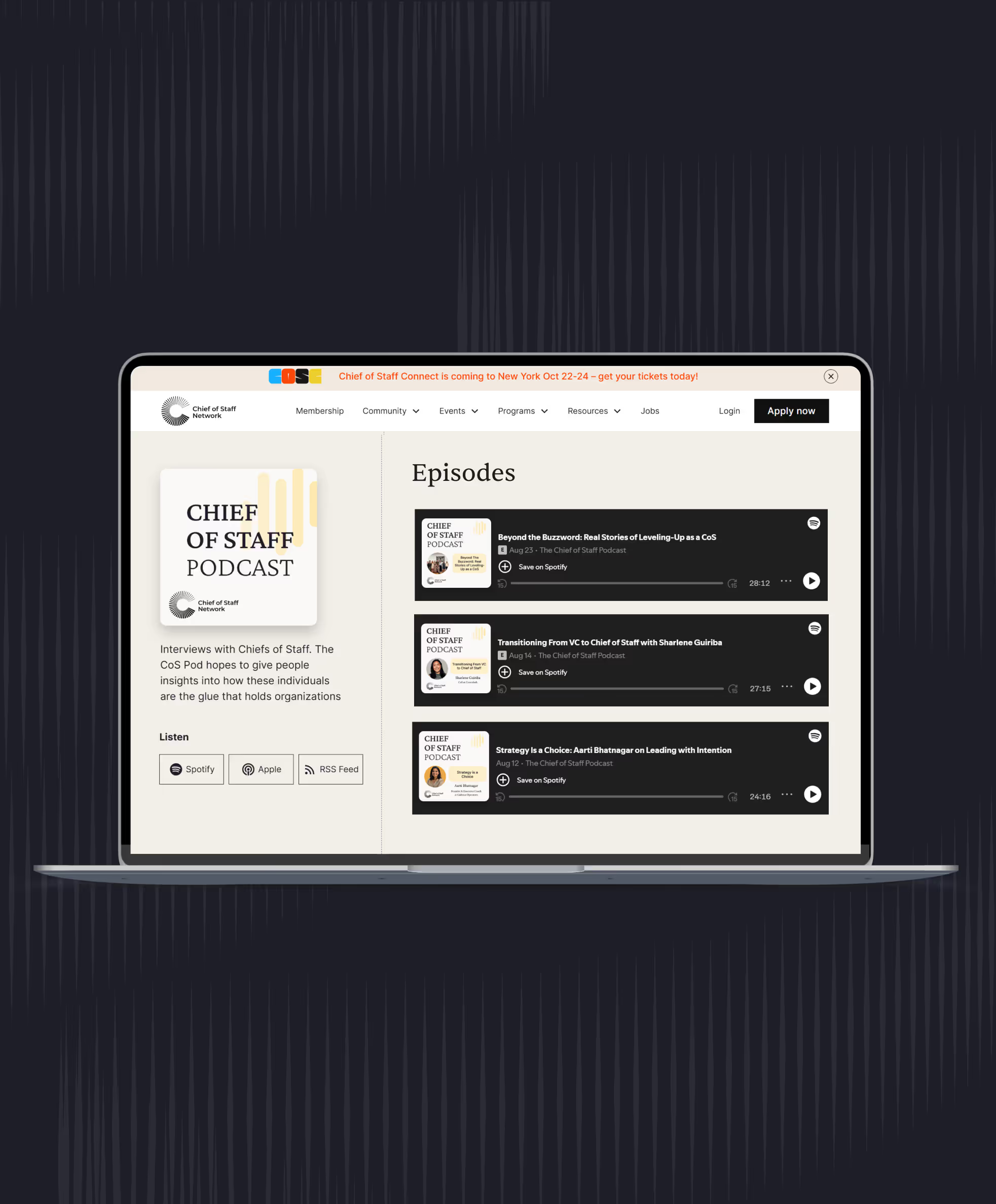
Kartikeya Jaiswal, known as KJ, who led strategy and operations at Bifrost AI when we spoke, described an extreme version in his episode on speaking directly. At a three-day conference he met 30 to 40 companies, mostly in hallways and over meals, and dictated a short voice note after each. That evening an AI assistant turned the transcripts and photos of business cards into updates on his prospect sheet.
The same approach works inside a company. This prompt turns a week of notes into updates for all four records.
Prompt: Turn this week's notes into context updates
You are helping me, a Chief of Staff to [principal, title], keep our records current.

Inputs below: this week's meeting notes and voice notes, plus my current context file.

Do four things:
1. Decisions: list every decision made this week as one line (date, decision, why, decided by, revisit when). Only include decisions the notes state clearly. Mark anything ambiguous as [CHECK].
2. Commitments: list every promise made (who, to whom, what, by when). Flag any that conflict with the priorities in the context file.
3. Context file: suggest specific edits (priorities, off the list, owners, open questions). Quote the line you'd change.
4. Stakeholders: for each person mentioned, give one line on what they care about right now and any open thread with them. Facts only, from the notes. No judgments about performance or intent.

Rules: use only facts from the inputs. Don't invent dates, numbers or names. Keep the whole answer under 500 words.

[Paste notes and context file]
Run it only in a tool your company has approved for this data, then read the output against your own memory. The summary is good at sorting and bad at knowing what someone meant.
What should stay out of writing, and who should see what?
Write down decisions, commitments, priorities and facts about who owns what. Keep candid reads on people, such as who's struggling, who's leaving or who doesn't trust whom, out of shared files and out of AI tools, and use only tools your company has approved for the data.
The test: would you be comfortable reading the line aloud to the person it's about? If not, it doesn't go in a shared document, a meeting recording or an AI prompt. My rule is stricter: if a note can't survive being forwarded, it stays in your head or a paper notebook, and you accept the risk that it leaves with you.
Tell people when a meeting is recorded, and use the consent rules and the list of meetings never to record in our meetings guide. Ask legal how long decision logs and meeting notes should be kept, because some become company records; our page on AI and the law covers the legal side for operators.
If you wouldn't read a note aloud to the person it's about, keep it out of shared files and AI tools.
If people learn that a candid comment ended up in a shared summary, they stop being candid in front of you. Your access depends on being the person who knows what not to write down.
Work through context, AI tools and the hard parts of the role with Chiefs of Staff who are doing it now. Membership includes Power Skills, member events and a private community.
See membershipHow do you hand over context when you're out or leaving?
Hand over context with three documents: the current context file, the open commitments list and a one-page handover note covering what's in flight, what's sensitive and who to call. For a week off, that's enough; for a permanent move, add a walkthrough with your principal and a month of overlap if you can get it.
The median completed Chief of Staff stint is 20 months, according to the Chief of Staff Network's 2026 Pathways Report (more than 2,100 moves), and the middle half run 12 to 30 months. Every move takes a year or more of context out of the leadership team, often to a successor who starts from zero.
Zoe Jakubowich, a fractional Chief of Staff who works with five clients at once, said in her episode on managing five clients that she keeps very detailed notes for each client so she can put one company down and pick the next up without losing the thread. It's a good model for anyone who covers more than one leader.
For a week of leave, the person covering needs to act, so the note leads with what will need attention and who decides it. As an illustration: "The board pre-read is due Thursday. The CFO owns the numbers and the CEO approves the narrative. If the CFO's draft is late, nudge on Tuesday and tell the CEO on Wednesday."
For a permanent move, your successor needs to understand, so add the history behind the three decisions most likely to be reopened and walk your principal through the file together. Your read on which leader is struggling or which relationship is fragile stays verbal: list it as a topic, and have that conversation with your successor before you leave.
Tell whoever covers which questions can wait, because the first one the file can't answer becomes a call to you. If your AI tools run on your context file and your logins, decide before you go whether they keep running; a scheduled job shouldn't keep reading data after you've left the role. A six-week-old file still reads as current, so read it end to end and date every section before you hand it over.
Prompt: Draft my handover note from my context file
I'm a Chief of Staff to [principal, title], handing over to [name, role] for [a week of leave / a permanent move] starting [date].

Using my context file, decision log and commitments list below, draft a one-page handover note with:
1. The three things most likely to need attention while I'm gone, with the owner and the first step for each.
2. Open commitments due in the period, with who is waiting.
3. Decisions in flight: what's been decided, what's pending, who decides.
4. Who to call for what (names and areas only).
5. Anything I should explain in person, listed as topics only. Don't write out sensitive details.

Rules: use only facts from the inputs. Mark anything older than 30 days as [CHECK DATE]. Under 400 words.

[Paste context file, decision log and commitments list]
A clean handover is also the last thing your principal remembers about how you worked. Our guide to your first 90 days is worth sending to whoever takes over, and if you're helping your principal find them, start with our guide to hiring a Chief of Staff.
This week, date every section of your context file and write a five-line handover note as if you were out tomorrow.
Keep reading
 Leadership team meeting agenda: how to run the meeting, take notes and follow upToolkit
 How to brief your principal: briefing memos, decision memos and pre-readsToolkit
- Executive calendar management: how a Chief of Staff runs the calendar and inboxToolkit
Toolkit
- The Chief of Staff toolkit: tools and templates for the daily work
- How to brief your principal: briefing memos, decision memos and pre-reads
- Executive communications for Chiefs of Staff: writing for the CEO and running internal comms
- Leadership team meeting agenda: how to run the meeting, take notes and follow up
- Executive calendar management: how a Chief of Staff runs the calendar and inbox
- Context management for Chiefs of Staff
- Stakeholder management for Chiefs of Staff: how to map and track 50 relationships
- How Chiefs of Staff research decisions, with and without AI
- How a Chief of Staff runs board meetings and investor relations
Take this guide with you
The full guide as a PDF: every section, template and chart, ready to print or share with your team.
Your PDF is ready.
Download the PDFFree. We may email you new guides; unsubscribe anytime.
Frequently asked questions
- 2026 Pathways Report, Chief of Staff Network: 2,869 career histories and 1,819 Chief of Staff job postings (global). Responsibility shares from Figure 4 (37% thought partner on decisions, 41% cross-functional initiatives); median completed stint of 20 months and middle half of 12 to 30 months from 2,158 completed moves.
- AI Readiness Diagnostic, Chief of Staff Network, 2026: 1,200+ senior leaders, drawn from Chiefs of Staff and senior operators; 12.5% connect AI to other tools.
- Chief of Staff podcast: Jamie Lynn White (Notion), Kartikeya Jaiswal (Bifrost AI), Delong Lu (Proton), Zoe Jakubowich (fractional).
Learn the job with people who do it
Membership gets you the Power Skills program, member events and a private community of working Chiefs of Staff.
Land your first Chief of Staff role
Launchpad helps you prepare, position yourself and interview for the role.
Starting out in the role?
The Fundamentals email course walks you through scoping the mandate, setting the cadence and earning trust.
Lead AI adoption from the Chief of Staff seat
The Chief of AI Fellowship is for operators turning AI into how the company runs.
Hiring a Chief of Staff?
Post the role on the Chief of Staff job board, or browse open roles.
Get your resume ready for the role
Get feedback on your Chief of Staff resume before you apply.
Let the right roles find you
Join the talent network and hear about Chief of Staff roles first.
The Chief of Staff newsletter
What Chiefs of Staff are reading, hiring for and building.
Get the full report
Every chart and cut from our latest salary research, sent to your inbox.
Using AI with sensitive data?
Learn the legal side of using AI at work.