

How to write for your CEO and run internal comms
How a Chief of Staff runs internal communications: writing in the CEO's voice, the all-hands, hard announcements and cascades. 46% of job postings ask for it.

Ask AI
 Share
A Chief of Staff makes sure the company hears the leader's priorities and decisions clearly, on time and in the leader's own voice. That means drafting messages for the principal to sign, running the all-hands, planning hard announcements, briefing managers to cascade them and checking the message landed. The principal still owns every word they sign.
- Executive communication is the second most requested Chief of Staff responsibility: 46% of the more than 1,800 job postings in the Chief of Staff Network's 2026 Pathways Report ask for it.
- Own the system, and leave the final words to your principal. You run the calendar of messages, the drafts, the cascade and the follow-up; they approve everything they sign.
- Write for the most worried person who will read the message, and answer their question in the first paragraph.
- Managers need the message before the company does, with talking points, so the cascade says the same thing everywhere.
- AI is already in this work: 90% of respondents to our AI Readiness Diagnostic have drafted internal communications with AI. Draft from a file of your principal's real writing, and read every word before it goes out.
You sat in the room where the decision got made. You heard the debate and know which option lost and why. Then the CEO asks you to "send something to the company", and almost nobody reading it has any of that context. A sentence that feels obvious to the leadership team reads as vague, or alarming, to the person whose team was just reorganized.
Maggie Mullooly, a Chief of Staff who has done the job full-time and fractionally, put it on our podcast this way: sitting at the founder's table, "you have perfect information". The job is to write for the people who don't. This is step 2 of our Toolkit path; the short documents your principal reads before meetings are in our guide to briefing.
What does a Chief of Staff own in internal communications?
In most growing companies without a dedicated comms team, the Chief of Staff owns the system behind the leader's communication: what gets said, when, through which channel, and whether it landed. The leader owns the message itself and every word they sign. HR, marketing or a comms team own their own channels where those exist.
A message in the CEO's name carries the CEO's weight, so your principal has to agree with every sentence. I'd never let a message go out in a principal's name that they haven't read in full, however small.
Maggie Mullooly calls internal communication the superpower she brought to her Chief of Staff roles. From roughly Series A to Series C, she said, it usually falls to the Chief of Staff, working closely with the founders and sometimes with marketing. Employers agree: 46% of the postings in the Chief of Staff Network's 2026 Pathways Report ask for executive communications and content, second only to the operating cadence.
Who owns what in internal communications
| Work | Principal | Chief of Staff | HR or people team | Marketing or comms team |
|---|---|---|---|---|
| The decision or news itself | Owns | Shapes | Advises on people impact | Advises on external impact |
| The words in the leader's name | Approves every word | Drafts | Reviews people-sensitive lines | Reviews where public |
| The calendar of messages | Agrees | Owns | Feeds in (benefits, reviews) | Feeds in (launches, press) |
| The all-hands | Hosts | Runs (agenda, speakers, Q&A) | Presents their part | Presents their part |
| Manager talking points and cascade | Approves | Owns | Co-owns for people changes | Co-owns for public news |
| Checking the message landed | Hears the summary | Owns | Shares pulse data | Shares channel data |
Without this split written down, either the Chief of Staff drafts everything and becomes a full-time ghostwriter, or every function sends its own message and the company hears five versions of one decision in a week. Add a line to your mandate that says what you own, such as drafting for your principal, the all-hands and the cascade.
The most useful single document is the calendar of messages: what the company will hear in the next six weeks, from whom and through which channel. Keep it next to your operating rhythm, because most big messages follow a planning cycle, a board meeting or a quarterly review. This week, write it for the next six weeks, even if it has only three lines, and show it to your principal in your next 1:1.
How do you write in your principal's voice?
Study how they actually write, put what you learn in a short voice file, and draft from it. Then track every edit they make to your drafts, because their edits are the most accurate guide to their voice you'll ever get.
Collect ten pieces of your principal's own writing: emails they wrote themselves, Slack messages, a memo, a talk transcript, a board update. Read them in one sitting, fill in the template below, and ask your principal what's wrong with it. Their corrections go straight into the file.
Template: Voice file for writing in your principal's name
Voice file: [principal's name]
How they sound
- Sentence length: [short and direct / longer, explanatory]
- Openings: [e.g. starts with the news, never with "I hope you're well"]
- Sign-off: [their exact sign-off]
- Formality: [first names, contractions, humor yes or no]
What they always do
- [e.g. say why before what]
- [e.g. thank a named person or team]
- [e.g. end with what happens next]
What they never do
- [words and phrases they never use]
- [e.g. no exclamation marks, no corporate jargon]
Phrases that are theirs
- [3 to 5 phrases they really use, quoted from their writing]
How they deliver bad news
- [e.g. says it in the first line, owns it, says what changes for people]
Examples (paste 3 short, real ones)
- [Example]
- [Example]
- [Example]
Edits they made to my drafts (keep adding)
- [date] Changed "[my words]" to "[their words]"
# Voice file: [principal's name]

## How they sound
- Sentence length: [short and direct / longer, explanatory]
- Openings: [e.g. starts with the news, never with "I hope you're well"]
- Sign-off: [their exact sign-off]
- Formality: [first names, contractions, humor yes or no]

## What they always do
- [e.g. say why before what]
- [e.g. thank a named person or team]
- [e.g. end with what happens next]

## What they never do
- [words and phrases they never use]
- [e.g. no exclamation marks, no corporate jargon]

## Phrases that are theirs
- [3 to 5 phrases they really use, quoted from their writing]

## How they deliver bad news
- [e.g. says it in the first line, owns it, says what changes for people]

## Examples (paste 3 short, real ones)
1. [Example]
2. [Example]
3. [Example]

## Edits they made to my drafts (keep adding)
- [date] Changed "[my words]" to "[their words]"
Example: Voice file for a Series B CEO (illustration)
Voice file: CEO, Series B, 120 people
How they sound
- Sentence length: short, one idea per sentence
- Openings: the news and its date in the first sentence
- Sign-off: first name only
- Formality: first names, contractions, a dry joke now and then, never in bad news
What they always do
- Say why before what
- Thank a named team for specific work
- End with what happens next, and when
What they never do
- "Excited to share", "after careful consideration", "synergies"
- Exclamation marks in company-wide messages
Phrases that are theirs
- "What changes for you"
- "That's on me"
- "Tell me where this is wrong"
How they deliver bad news
- What happened in the first line, the decision owned with "I", then what changes for people and when they'll hear more
Examples (paste 3 short, real ones)
- All-hands email: "We missed the Q3 number. That's on me. Here's what we're changing in Q4."
- Slack: "The platform team moved 30 customers this week without an outage. Thank you."
- Note to a VP: "Draft attached. Tell me where this is wrong before Thursday."
Edits they made to my drafts (keep adding)
- Feb 12: Changed "We're excited to share that, after careful consideration, we've made the decision to bring our sales and customer success teams together" to "Sales and customer success are becoming one team on March 1."
# Voice file: CEO, Series B, 120 people

## How they sound
- Sentence length: short, one idea per sentence
- Openings: the news and its date in the first sentence
- Sign-off: first name only
- Formality: first names, contractions, a dry joke now and then, never in bad news

## What they always do
- Say why before what
- Thank a named team for specific work
- End with what happens next, and when

## What they never do
- "Excited to share", "after careful consideration", "synergies"
- Exclamation marks in company-wide messages

## Phrases that are theirs
- "What changes for you"
- "That's on me"
- "Tell me where this is wrong"

## How they deliver bad news
- What happened in the first line, the decision owned with "I", then what changes for people and when they'll hear more

## Examples (paste 3 short, real ones)
1. All-hands email: "We missed the Q3 number. That's on me. Here's what we're changing in Q4."
2. Slack: "The platform team moved 30 customers this week without an outage. Thank you."
3. Note to a VP: "Draft attached. Tell me where this is wrong before Thursday."

## Edits they made to my drafts (keep adding)
- Feb 12: Changed "We're excited to share that, after careful consideration, we've made the decision to bring our sales and customer success teams together" to "Sales and customer success are becoming one team on March 1."
Voice covers sentence length, how they open and close, what they say first, how much they hedge, and how they sound when the news is bad. People read a leader's message for what's happening and for how much the leader means it, and voice carries the second. When a message sounds unlike the person who signed it, readers discount how close the leader is to the decision. I'd take a plain, slightly rough note in the leader's own voice over a polished one in nobody's.
Rachel Peck spent close to a decade at Harry's, first as Chief of Staff to the founders, and now leads sessions in our Launchpad program. On our podcast about saying it well, she named the biggest problem she sees in executive communication: it often sounds corporate and generic. Her advice for drafting with AI was to feed the model a lot of the leader's real writing first, which applies just as much to you.
A worked example: one edit, logged
The last section of the voice file is what makes it improve. This is a labeled illustration. You draft the opening of a note about combining the sales and customer success teams:
"We're excited to share that, after careful consideration, we've made the decision to bring our sales and customer success teams together to better serve our customers."
Your principal sends it back as:
"Sales and customer success are becoming one team on March 1. Here's why, and what changes for you."
Three lines go into the voice file. Openings: the change and its date in the first sentence. Never: "excited to share", "after careful consideration". Phrase that's theirs: "what changes for you". After a dozen edits like this, the pattern is clear and the edits get smaller. When you send a draft, add a note on what you were aiming for and the one line you're least sure about, because leaders edit faster when they know where to look.
Judgment calls on whose words go out
The better you get at their voice, the more they'll ask you to write. Decide together which messages they write themselves. I'd keep three kinds with the principal: apologies, anything about a specific person, and the first and last paragraph of any message about jobs, because those are the lines people reread for sincerity.
Sometimes the voice itself is the problem. Push back on clarity, such as the order of the news or a missing date, and leave personality alone. "Can we say the date in the first line?" is a fair edit; rewriting their humor out of a message isn't.
Match a founder's established voice closely; a CEO hired in the last year is still building one, which gives you more room. In a chat-first remote company, collect short Slack posts before long emails. If your principal leads a function, check every draft against what the CEO has said on the same topic, because the function hears both.
How do you run the all-hands?
Run it as a ritual with the same structure every time: what changed since last time, the priorities and how they're tracking, one or two topics in depth, recognition, and real questions answered live. The Chief of Staff runs the agenda, the speakers and the questions. The principal hosts.
With a fixed structure, people learn where to look for what they care about, and a hard topic lands inside a format the company already trusts. Andrea Mayendia, Chief of Staff to the Chief Product and Technology Officer at Dow Jones, described on our podcast about storytelling cutting close to 400 projects to about 30 shared priorities, published on the intranet, emailed to everyone and reviewed weekly. Rituals that repeat in the open build trust because people can check what they hear against what they see.
Template: All-hands run of show
All-hands: [date] · [length, e.g. 45 min] · Host: [principal]
Before (Chief of Staff)
- ☐ Topics agreed with [principal] by [day, 1 week before]
- ☐ Speakers briefed: 1 point each, max [5] min, slides by [day]
- ☐ Question form open [3 days before], anonymous option on
- ☐ Hard questions grouped; [principal] has a draft answer for each
- ☐ Recording and notes: who, where, who can see them
Run of show
- Open (2 min): one thing that changed since last time, and why it matters
- Priorities (5 min): where each one stands, what's off track and what we're doing about it
- Deep dive (10 to 15 min): one topic, one owner
- Recognition (3 min): named people, specific work
- Questions (15 to 20 min): hard ones first, read out as asked
- Close (2 min): what happens next, and where to send follow-up questions
After (within 24 hours)
- ☐ Summary posted: decisions, answers, links
- ☐ Unanswered questions answered in writing by [day]
- ☐ Note the top 3 questions for the calendar of messages
# All-hands: [date] · [length, e.g. 45 min] · Host: [principal]

## Before (Chief of Staff)
- [ ] Topics agreed with [principal] by [day, 1 week before]
- [ ] Speakers briefed: 1 point each, max [5] min, slides by [day]
- [ ] Question form open [3 days before], anonymous option on
- [ ] Hard questions grouped; [principal] has a draft answer for each
- [ ] Recording and notes: who, where, who can see them

## Run of show
1. Open (2 min): one thing that changed since last time, and why it matters
2. Priorities (5 min): where each one stands, what's off track and what we're doing about it
3. Deep dive (10 to 15 min): one topic, one owner
4. Recognition (3 min): named people, specific work
5. Questions (15 to 20 min): hard ones first, read out as asked
6. Close (2 min): what happens next, and where to send follow-up questions

## After (within 24 hours)
- [ ] Summary posted: decisions, answers, links
- [ ] Unanswered questions answered in writing by [day]
- [ ] Note the top 3 questions for the calendar of messages
Collect questions ahead of time, including anonymously, and answer the hard ones first. A company learns more from how the leader answers one uncomfortable question than from twenty minutes of slides, so if you're cutting time, cut presentations. If the same question shows up three times, that's your next message.
If your company is remote or spread across time zones, record it, post the summary in writing and keep the question form open for a day after. Most people will read the summary and few will watch the recording.
New to the role? Our $49 Fundamentals email course has 15 short lessons on working with your principal, leading without authority and setting the operating rhythm.
Start the courseHow do you announce hard news like a reorg or layoffs?
Answer the question people are actually asking in the first paragraph, tell the people most affected before anyone else, and give managers the message before the company hears it. Plan the order of conversations, then write the messages. Most hard announcements go wrong in the sequence, long before anyone reads the wording.
The first question in any hard announcement is personal. Andrea Mayendia learned this integrating four acquisitions before Dow Jones: on day one, the people being acquired don't want to hear why the deal is great for the company, they want to know whether they still have a job. Her rule was emotion first, strategy later. Maggie Mullooly gave the same advice from the drafting side: think about what will make each reader anxious and get ahead of it. I'd write every hard message for the most worried person who will read it.
Rachel Peck described a note she helped write at Harry's when the company expected to merge with Edgewell, the parent company of Schick. The team chose a sign-off that sounded like the founder, at the exact moment people feared he'd start sounding like a big company.
[SCOTT: a message you helped the CEO send at Spring (the ShopRunner acquisition or another hard moment), and what you'd do again]
Plan the sequence before the words
Hard news reaches people in an order whether you plan it or not, and if you don't, whoever talks first sets it. Once a few people know, the rest sense something is happening and fill the gap with the worst version they can imagine. Work with HR and, for anything involving jobs, legal counsel, before a single draft circulates, and aim to tell the company the same day the affected people hear.
Template: Hard announcement plan
Hard announcement plan: [what's changing]
The core message (3 sentences, approved by [principal])
- What is happening:
- Why:
- What it means for you, and what happens next:
Who hears, in what order
| Order | Who | How | When | Who tells them |
|---|---|---|---|---|
| 1 | People directly affected | 1:1, in person or video | [time] | Their leader + HR |
| 2 | Leadership team | Meeting | [time] | [principal] |
| 3 | Managers | Briefing with talking points | [time] | [principal] + CoS |
| 4 | Whole company | Message + all-hands or live Q&A | [time, same day] | [principal] |
| 5 | Outside (customers, investors, press) | As agreed | [time] | [owner] |
Before anything goes out
- ☐ HR and legal reviewed (required for anything involving jobs)
- ☐ Questions people will ask, with answers (top 10)
- ☐ What we will not say, and why
- ☐ Where people send questions after
- ☐ Leaks: what we do if it gets out early
After
- ☐ Follow-up message within [48 hours] answering open questions
- ☐ Check with 5 managers: what are people still asking?
# Hard announcement plan: [what's changing]

## The core message (3 sentences, approved by [principal])
1. What is happening:
2. Why:
3. What it means for you, and what happens next:

## Who hears, in what order
| Order | Who | How | When | Who tells them |
| --- | --- | --- | --- | --- |
| 1 | People directly affected | 1:1, in person or video | [time] | Their leader + HR |
| 2 | Leadership team | Meeting | [time] | [principal] |
| 3 | Managers | Briefing with talking points | [time] | [principal] + CoS |
| 4 | Whole company | Message + all-hands or live Q&A | [time, same day] | [principal] |
| 5 | Outside (customers, investors, press) | As agreed | [time] | [owner] |

## Before anything goes out
- [ ] HR and legal reviewed (required for anything involving jobs)
- [ ] Questions people will ask, with answers (top 10)
- [ ] What we will not say, and why
- [ ] Where people send questions after
- [ ] Leaks: what we do if it gets out early

## After
- [ ] Follow-up message within [48 hours] answering open questions
- [ ] Check with 5 managers: what are people still asking?
A worked example: a reorganization in one day
This is a labeled illustration. A 180-person company is folding its two product teams into one, and one director role goes away. The core message, approved by the CEO, reads: "On Tuesday we're combining Core and Platform into one product team under one product lead. We're doing it because the two roadmaps kept colliding, and customers felt it. Your manager will walk you through what changes for your team today."
- Monday: HR and legal review the plan. You finish the cascade kit and the top ten questions with answers.
- Tuesday, 9:00: the CEO and HR meet the director whose role is ending, then each of the two team leads.
- 10:00: the leadership team hears it from the CEO.
- 11:30: managers get the cascade kit in a 20-minute briefing.
- 13:00: the company message goes out, with a live Q&A at 13:30.
- By end of day: every affected manager has met their team.
- Thursday: a follow-up message answers the questions that came up most.
Four hours separate the first conversation from the company message, so the director never hears a rumor about their own role and no manager gets a question they haven't seen.
Judgment calls under pressure
You'll often know weeks before anyone else. Sophie Kaye, Chief of Staff at Frame.io when it was acquired by Adobe, said on our podcast that privacy was part of being a steward of the company. Her advice was to separate the two hats: be fully present in the deal work, then take that hat off and do your regular job without carrying the feeling that you're hiding something.
On how much "why" to share, give enough that a reasonable person could see the trade-off, and stop before you reopen the debate the leadership team already had. When you don't know yet, say so and give a date: "We'll confirm the new on-call rota by Friday." If the news leaks, move the company message forward and say what you can confirm.
Expect your principal to want to soften. Maggie Mullooly said founders she's worked with describe laying people off as devastating, and that feeling often shows up as a first paragraph that circles the news. Keep the news in the first two sentences and let the care show in how it's handled.
The questions change over time. In the first days they're personal: my job, my manager, my pay. By week two they're about how work gets done now, so plan a second message for then. Around month three, check every promise the announcement made, such as "no further changes are planned", because a broken one costs more trust than the announcement itself. In a company under 30 people, skip the cascade kit and tell everyone in one room right after the affected people; in a public company, legal counsel sets parts of the timing and wording.
Before it goes out, test the draft against the reader who'll find it hardest, with an assistant your company approves and with names and anything confidential removed.
Prompt: Stress-test a hard announcement
You are reviewing a company-wide announcement before a leader sends it.

Draft: [paste the draft, with names and confidential details removed]
Context: [what's changing, who is affected, company size]

1. Read it as three people: someone directly affected, a manager who has to explain it to their team, and a new hire. For each, list the first question they'd ask and whether the draft answers it.
2. Point out any sentence that sounds evasive, corporate or vague, and suggest a plainer version.
3. Say whether the first paragraph tells people what it means for them.
4. List anything that could be read as a promise we may not be able to keep.
Do not rewrite the whole message. Give me the issues in order of importance.
How do you cascade a message so it reaches the whole company?
Give every manager the same short kit before the company hears the news: the core message in three sentences, what it means for their team, the likely questions with answers, and where to send the ones they can't answer. Then repeat the message through more channels, and more often, than feels necessary.
For most people, the conversation that sticks is the one in their team meeting the next morning, and the company-wide email gets skimmed. If ten managers explain a change ten different ways, the company ends up with ten versions of the decision. Send the kit a few hours before the company message, so managers have read it before anyone asks them a question.
Cascade the message before the company hears it
The conversation that sticks is the one in the team meeting the next morning.
A few hours before
Kit to managers
The message in three sentences, what it means for their team, and the likely questions.
After the kit
Company message
Most people skim it. Repeat it through more channels, and more often, than feels necessary.
Within 24 hours
Team conversations
Every manager talks to their own team. Ten versions of the message make ten versions of the decision.
By the agreed day
Questions come back
Managers send back the top questions they heard. Those go into your next message.

Template: Manager cascade kit
Cascade kit: [topic] · Send to managers by [time], before the company message
The message in 3 sentences (say it this way)
- [What is happening]
- [Why]
- [What it means for your team]
What it means for your team
- What changes for them:
- What doesn't change:
- When:
Questions you'll get, with answers
- Q: / A:
- Q: / A:
- Q: / A:
What not to say
- [e.g. no speculation about future changes]
When you don't know
Say "I don't know yet, and I'll find out." Send the question to [name / channel] by [day].
Do this
- ☐ Talk to your team within [24 hours] of the company message
- ☐ Send back the top questions you heard by [day]
# Cascade kit: [topic] · Send to managers by [time], before the company message

## The message in 3 sentences (say it this way)
1. [What is happening]
2. [Why]
3. [What it means for your team]

## What it means for your team
- What changes for them:
- What doesn't change:
- When:

## Questions you'll get, with answers
1. Q: / A:
2. Q: / A:
3. Q: / A:

## What not to say
- [e.g. no speculation about future changes]

## When you don't know
Say "I don't know yet, and I'll find out." Send the question to [name / channel] by [day].

## Do this
- [ ] Talk to your team within [24 hours] of the company message
- [ ] Send back the top questions you heard by [day]
The last line of the kit closes the loop: the questions managers send back tell you what the company didn't understand, which is what goes into your next message.
Repetition feels wasteful to the leadership team because they've heard the message dozens of times while deciding it. Most of the company has heard it once, if at all. Rachel Peck pushes Chiefs of Staff to use more channels than the all-hands, such as onboarding and even the walls of a physical office, and to choose sticky language people repeat to each other.
Say an important message more often than feels necessary: the leadership team tires of it long before the company has heard it.
Take the most important decision from your last leadership meeting and ask three managers how they explained it to their teams. If the three answers differ, you need a cascade kit.
How do you know a message landed?
Ask people to tell it back to you. Within a week of any important message, ask three or four people at different levels what changed and why. If they can say it in a sentence close to yours, it landed. If they can't, the message needs another round, through a different channel.
Pick people who weren't in the room: a new hire, a manager two levels down, someone in a different office. Ask open questions, such as "What did you take from Thursday's all-hands?", and write down their words. The gap between their sentence and yours is your next draft.
When the tell-back fails, find out how before you resend anything. If people can't repeat it, the message was unclear: cut it to three sentences and lead with what changes for the reader. If they can repeat it but heard it only from you, the channel failed: run it through managers and the all-hands. If they can repeat it and don't believe it, rewriting won't help. Disbelief usually traces back to an earlier promise that didn't hold, so raise it with your principal and fix it with visible action, such as the leader answering the hardest question live.
Beyond the tell-back, watch three signals: the same question asked three times, the top questions managers send back from the cascade kit, and whether teams start working on the new priorities. Communication is one of the eight competencies in our Leveling Framework, at every Chief of Staff level, and I'd judge a Chief of Staff mostly by that last signal. Our post on strategic communication, by a former communications lead and Chief of Staff at McDonald's, sets out a four-part framework for how that communication lines up with strategy and execution.
This week, run the tell-back test on the last company-wide message your principal sent, and put what you hear in your next weekly update.
How can AI help with internal communications, and what has to stay yours?
AI is good at first drafts, alternative versions, tightening and stress-testing a message from different readers' points of view. The judgment stays yours and your principal's: what to say, what not to say, when, and whether it's true. Your principal should read every word that goes out in their name, however it was drafted.
This is already common. In the Chief of Staff Network's AI Readiness Diagnostic (1,200+ senior leaders, drawn from Chiefs of Staff and senior operators), 90% of respondents had drafted internal communications with AI. Left alone, AI drafts default to the generic, corporate tone that makes executive messages easy to ignore. Give the assistant the voice file and your principal's edits, and the drafts start sounding like a person.
I'd start with Claude, but you can pick any tool you prefer or your company allows. Claude and ChatGPT both let you keep standing instructions and files in one place, so every draft starts from the voice file.
Claude
- Create a project for your principal's communications.
- Add the voice file and five to ten examples of their real writing as project files.
- In the project instructions, add: "Draft in the voice described in the voice file. Flag any sentence you're unsure they'd say."
- Paste your notes into a chat in the project and ask for a draft. Edit it, then add your principal's edits to the voice file.
ChatGPT
- Create a project for your principal's communications.
- Upload the voice file and five to ten examples of their real writing to the project.
- Add the same instruction to the project's instructions: draft in the voice file's voice and flag uncertain sentences.
- Paste your notes into a chat in the project and ask for a draft. Edit it, then add your principal's edits to the voice file.
Other assistants work in a similar way. Use the one you prefer or your company allows.
Check with IT before you upload anything sensitive, and never paste names, compensation or performance details into a tool your company hasn't approved. Our AI setup guide covers what to connect and what to keep out, and our guide to AI and the Chief of Staff has a one-page AI use policy for a leadership team.
With the voice file in place, the prompt below gives you a first draft to edit. Fill in the notes from the decision itself, so the assistant has nothing to invent.
Prompt: Draft a message in my principal's voice
You are drafting an internal message that [principal's role] will send to [audience].

Use the attached voice file and examples. Match their sentence length, openings, sign-off and what they never say.

What's happening: [notes]
Why: [notes]
What it means for the reader: [notes]
What happens next: [notes]
Channel and length: [e.g. Slack post, under 150 words]

Then:
1. Mark any sentence you're unsure they would say.
2. List the two questions a worried reader would still have.
Do not add facts that aren't in my notes.
Check every fact and number in the draft against the source before your principal sees it. A confident wrong number in the CEO's name costs more trust than the draft saved.
Keep reading
 How to brief your principal: briefing memos, decision memos and pre-readsToolkit
- The Chief of Staff toolkit: tools and templates for the daily workToolkit
 Leadership team meeting agenda: how to run the meeting, take notes and follow upToolkit
Toolkit
- The Chief of Staff toolkit: tools and templates for the daily work
- How to brief your principal: briefing memos, decision memos and pre-reads
- Executive communications for Chiefs of Staff: writing for the CEO and running internal comms
- Leadership team meeting agenda: how to run the meeting, take notes and follow up
- Executive calendar management: how a Chief of Staff runs the calendar and inbox
- Context management for Chiefs of Staff
- Stakeholder management for Chiefs of Staff: how to map and track 50 relationships
- How Chiefs of Staff research decisions, with and without AI
- How a Chief of Staff runs board meetings and investor relations
Take this guide with you
The full guide as a PDF: every section, template and chart, ready to print or share with your team.
Your PDF is ready.
Download the PDFFree. We may email you new guides; unsubscribe anytime.
Frequently asked questions
- 2026 Pathways Report, Chief of Staff Network. 1,819 unique Chief of Staff job postings (global, June to October 2026). Share of postings asking for executive communications and content (46%).
- AI Readiness Diagnostic, Chief of Staff Network, 2026 (1,200+ senior leaders, drawn from Chiefs of Staff and senior operators). Share who have drafted internal communications with AI (90%).
- Leveling Framework, Chief of Staff Network. Communication is one of eight competencies at every level.
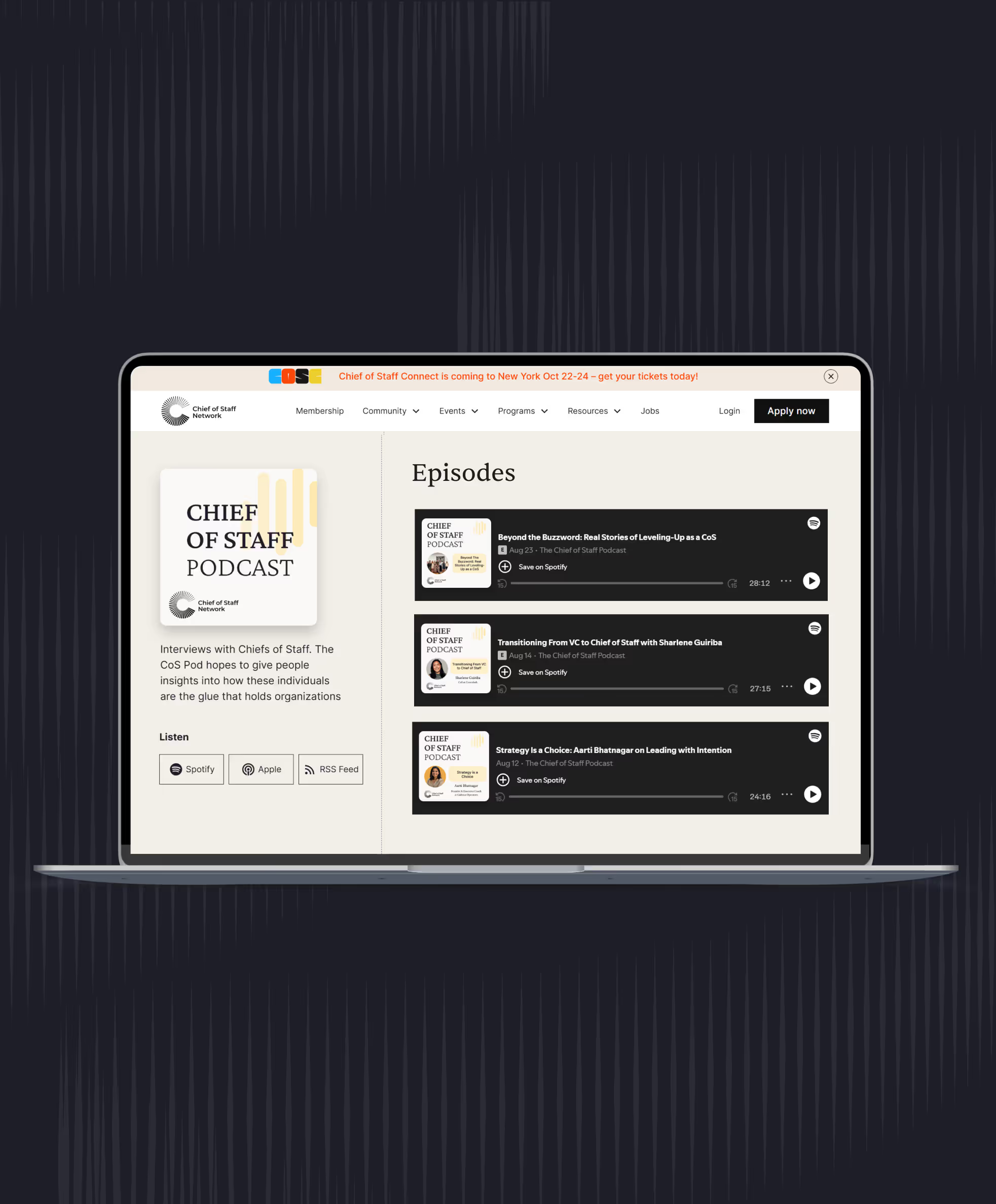
- Chief of Staff Network podcast: Maggie Mullooly (Chief of Staff, Series B climate tech company, at the time of recording), Andrea Mayendia (Chief of Staff to the Chief Product and Technology Officer, Dow Jones), Rachel Peck (founder, Metronome; former Chief of Staff, Harry's; Launchpad lead facilitator), Sophie Kaye (Chief of Staff, Frame.io, through its acquisition by Adobe).
- The ownership table, templates and the tell-back test are the Chief of Staff Network's recommendations. The logged edit and the one-day reorganization are labeled illustrations.
Learn the job with people who do it
Membership gets you the Power Skills program, member events and a private community of working Chiefs of Staff.
Land your first Chief of Staff role
Launchpad helps you prepare, position yourself and interview for the role.
Starting out in the role?
The Fundamentals email course walks you through scoping the mandate, setting the cadence and earning trust.
Lead AI adoption from the Chief of Staff seat
The Chief of AI Fellowship is for operators turning AI into how the company runs.
Hiring a Chief of Staff?
Post the role on the Chief of Staff job board, or browse open roles.
Get your resume ready for the role
Get feedback on your Chief of Staff resume before you apply.
Let the right roles find you
Join the talent network and hear about Chief of Staff roles first.
The Chief of Staff newsletter
What Chiefs of Staff are reading, hiring for and building.
Get the full report
Every chart and cut from our latest salary research, sent to your inbox.
Using AI with sensitive data?
Learn the legal side of using AI at work.